
Backlink Analysis Tools Compared by Job
By LincSpider Team · 2026-07-23 · 12 min
Type backlink analysis tool into Google and you’ll get scorecards: who has the biggest index, who paints the prettiest toxic chart, who throws in “AI insights.” Those roundups are fine if you’re shopping brands. They’re worse if you’re trying to finish a job before lunch.
This article compares backlink analysis by the work you actually do — your own links, competitor gaps, and risk review — then shows where free backlink analytics stop and paid suites start. We’ll be clear about where a Chrome outreach layer fits after analysis. LincSpider is not a backlink analyzer. It helps you act on pages you’ve already decided are worth a human comment or email.
Budget stacking: Affordable Link Building Tools. Competitor-seeded lists: Expand Backlinks from Competitor Link Pages.
Three Analysis Jobs (Stop Shopping by Logo)
| Job | Question | Output you need |
|---|---|---|
| Own-profile analysis | Who links to us, and is that healthy? | Inventory + priorities |
| Competitor analysis | Who links to peers but not us? | Opportunity seeds |
| Risk / toxic review | What looks manipulative or dangerous? | Monitor vs careful action |
Most “best backlink analysis tool” lists blur these. You don’t need the same depth for each job every week.
The process matters more than the tool.
Buy for the job you’re missing.
On r/SEO:
No tool can build link for you. Even if it does, it would be a spam with no SEO value.
Backlink analytics describe the graph. They don’t post for you — and they shouldn’t.
Free Backlink Analyzers and Data Sources
Google Search Console
Best free view of your linking sites and linked pages. Incomplete by design. Perfect for a weekly skim and for teaching a new teammate what “our profile” looks like without a login to a $99 suite.
Bing Webmaster Tools
Community-favorite free research move:
Go to Bing Webmaster Tools… Add a competitor domain. You'll see referring domains
(thread)
Treat Bing as a seed generator for competitor analysis, not a full Ahrefs replacement. Export → filter blogs and comment-ready URLs → queue.
Free analyzer landing pages
Enter a domain, get a partial report. Useful for a second opinion or a client screenshot. Weak for historical graphs, intersect reports, and bulk filtering. If the free backlink analyzer is your only source, cap decisions: spot-check live pages before you outreach or panic.
Lightweight Chrome helpers
Broken-link scanners and SEO toolbars show up in starter threads (r/SEO on getting started, r/bigseo on extensions). They accelerate one check while you’re already on a page. They are not backlink analytics platforms.
r/chrome_extensions conversations are really about workflow friction — same niche we care about for execution later.
What free analysis is good for
- Confirming GSC isn’t empty (or understanding why it is)
- Building a first competitor seed list
- Deciding whether a paid suite would save real hours
What free analysis is bad for
- Declaring a site “clean” or “toxic” at scale
- Historical link velocity stories
- Agency-grade shared projects across many domains
Tool indexes are partial — and they lag
Semrush, Ahrefs, and peers only show links their crawlers have found and stored. That is not your full outbound ledger, and it is not the competitor’s full inbound truth either.
Field example we’ve seen: roughly 113 paid placements logged in a team sheet versus ~83 showing as live in Ahrefs at the same check — the gap is usually “not crawled yet,” not “links vanished.” Another common shock: one vendor may show tens of thousands of backlinks for a relationship while another shows dozens. Same pair of domains; different crawl universes.
Implications for analysis:
- Keep your own send ledger (URL, date, live check) as the execution source of truth.
- Treat suite counts as index progress bars, not verdicts — allow a lag window before you panic.
- Cross-check traffic and keywords when DR looks pretty; inflated homepage backlink piles can lift Ahrefs DR without matching organic footprint (more in backlink quality checklist).
- Never price a buy or copy a competitor row from one tool’s absolute backlink count alone.
On r/SEO:
DA/DR. Yes, these are wildly inaccurate
Inaccurate includes incomplete and gameable. Analysis tools describe a sampled graph; your ledger describes what you actually shipped.
Paid Suites: What You’re Actually Buying
Ahrefs, Semrush, and peers sell crawl depth, history, and filtering speed. Ahrefs’ guide to finding competitors’ backlinks and backlink gap analysis show the research patterns free tools approximate badly. Their audit guide covers the risk job with more rigor than a free PDF.
On r/seogrowth:
As a first step I would run a competitor backlink gap analysis using semrush or ahrefs
That’s the competitor job. Keep it labeled: analysis, not outreach complete.
r/bigseo includes people who pull Semrush prospecting data and manually import into trackers. The suite finds; humans ship.
When a paid backlink analysis tool is worth it:
- You already use it for keywords/content and links are one more module
- Competitor gap is weekly, not occasional
- Incomplete free exports cost more hours than the bill
- You need shared client workspaces
When it’s optional:
- Solo founder, a handful of quality touches per week
- Bottleneck is writing and personalization, not finding URLs
- You already have more prospects than you can vet
Don’t buy two full suites that both “do backlink analytics” while still copy-pasting comment forms by hand. That’s the expensive mistake we called out in the affordable tools piece.
Own vs competitor vs toxic — three mini workflows
Own-profile (monthly light): GSC export → tag keep/monitor/skip → note any sudden spikes from directories you don’t recognize → only escalate to a suite audit if something looks wrong or traffic moved oddly.
Competitor (weekly or biweekly): Bing or suite referring pages → filter blogs → vet → add to outreach sheet. This is the same muscle as competitor expansion, just labeled as analysis first.
Toxic / risk (as needed): Suite audit signals + your eyes. Prefer monitoring over panic. Ahrefs’ audit framing is the deep reference; free “toxic %” badges are not.
If you only ever run competitor exports and never look at your own Links report, you’re doing prospecting, not profile hygiene. If you only stare at toxic scores and never build a short outreach list, you’re doing anxiety, not SEO.
Chrome After Analysis: The Missing Layer
Analysis ends in a CSV. Outreach dies in tab chaos.
On r/SEO:
Manual outreach takes long, not scalable — search blogs in your niche, find the email.
A backlink analyzer doesn’t fix that sentence. A browser workflow can shorten it without removing judgment.
HN users describe exporting competitor backlinks from Semrush into browser tools for the same reason: keep control while cutting tab friction. Indie Hackers repeats a useful split: automation for timing, human for message.
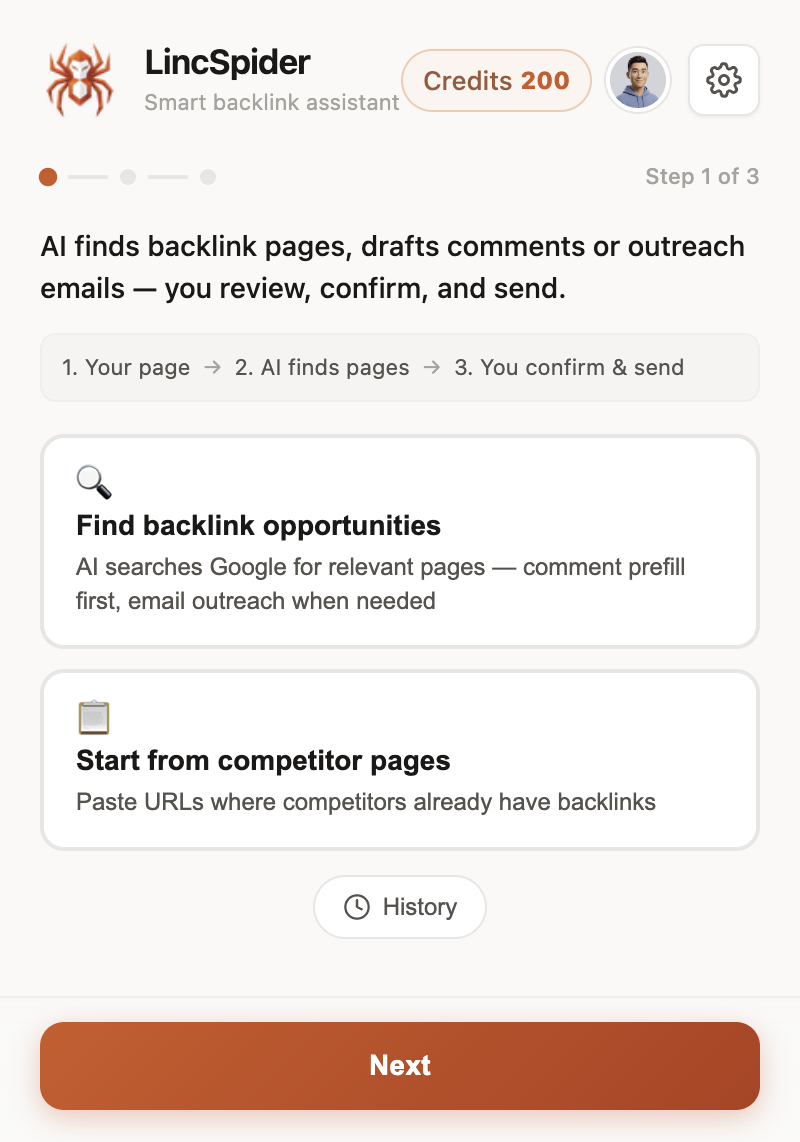
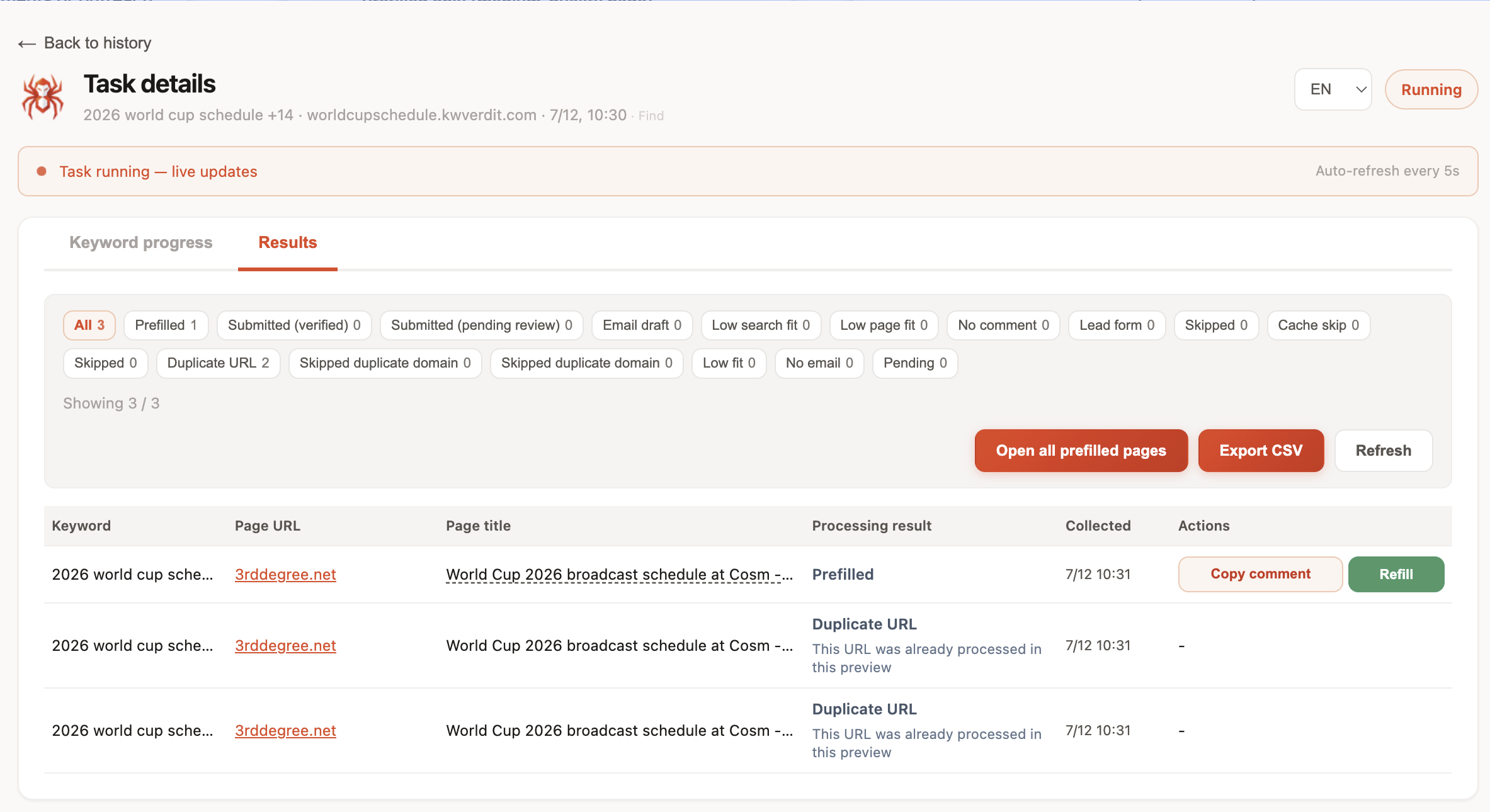
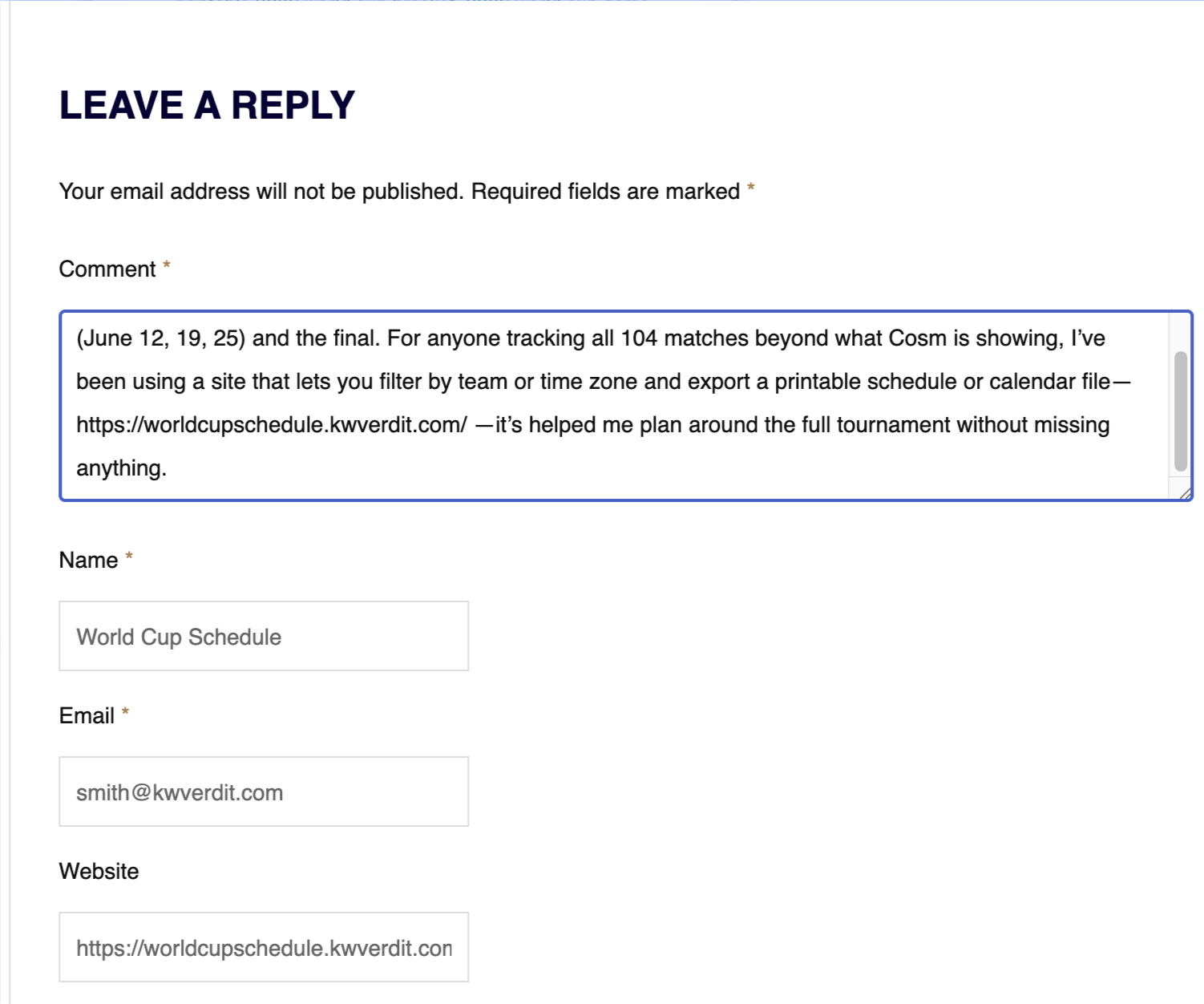
LincSpider’s lane: discover comment-capable pages, draft contextual comments, prefill forms, draft outreach email when there’s no box — you confirm every public action. No auto-post. Pair with discovery habits from How to Find Blog Comment Backlink Opportunities.
Personalization still matters (r/SEO outreach thread):
Personalize outreach messages to avoid marked as spam.
Pretty analytics won’t rescue a template.
A Tuesday after a Monday export
- Morning: export referring pages for two peers from Bing or your suite.
- Midday: filter to ~15 blog URLs; vet eight.
- Afternoon: two contextual comments + one email via Chrome workflow.
- Log results in the same sheet the analyzer fed.
That’s backlink analytics connected to reality. Staring at Domain Rating for an hour is not.
What “analyzed” should mean on a sheet
Before you call a row done, it should have:
- A live URL you opened
- A type tag (blog comment / email / skip)
- One sentence why it survived
- A status for this week
Suite dashboards that never become those four fields are theater. The same goes for free analyzer PDFs that sit in Drive. WebmasterWorld members chasing referral traffic from real comments didn’t need twelve charts — they needed judgment applied to a page. Software should make that judgment cheaper to apply.
New operators sometimes ask whether analysis itself is “link building.” It isn’t. Analysis is inventory. Link building (or, more honestly, relationship and mention work) starts when you show up with something worth reading. Keep the vocabulary honest so you don’t celebrate a finished export as a finished campaign.
How to Choose Without Overbuying
| If your bottleneck is… | Prioritize | Skip for now |
|---|---|---|
| Blind on competitors | Suite or Bing seeds | Second crawl product |
| Messy own-profile inventory | GSC + sheet | Fancy toxic AI add-ons |
| Slow commenting / forms | Chrome execution (LincSpider) | Another analyzer |
| Fear of penalties | Careful audit habits + Google policies | Mass disavow bots |
WebmasterWorld preferred friendly email over spam comments long before “AI toxic scores.” Digital Point still rewards meaningful comments over volume. HN’s skepticism about SEO snake oil applies to any analyzer that promises links while you sleep.
Authority anchors for expectations: Google ugc, Moz on comment marketing, SEJ on comment links.
One more practical filter: if a vendor demo spends twenty minutes on charts and zero minutes on “open this URL and write something a moderator would approve,” you’re still shopping analysis — fine — but don’t expect that purchase to fix outreach throughput. Buy the missing job.
Evaluation questions for any analyzer vendor
- Which of the three jobs does this product actually own?
- Can I export raw URLs I can open in a browser?
- What’s incomplete in the free tier — sample size, history, or filters?
- Does the pitch blur analysis with automated posting?
- Will this duplicate a suite I already pay for?
If the answer to (4) is fuzzy, walk away. Analysis tools that quietly become spam blasters fail the only test Reddit keeps repeating: tools don’t get to build links unsupervised.
FAQ
What is a backlink analysis tool for?
To inventory and interpret who links to you or your peers — not to publish comments or emails without review.
Free vs paid backlink analytics — when should I upgrade?
Upgrade when incomplete free data costs more hours than the subscription, or when competitor gap work is weekly. Stay free while you’re still learning to vet and write. Paying early for vanity charts rarely helps; practice the sheet first, then upgrade.
Can Bing replace Ahrefs for competitor analysis?
For seeding a small outreach queue, sometimes. For historical depth and heavy filtering, no.
Is LincSpider a backlink analyzer?
No. It’s a Chrome workflow for discovery, drafting, prefilling, and outreach email after you’ve chosen targets. Human-in-the-loop; never auto-posts.
How do toxic checks differ from opportunity analysis?
Toxic/risk review asks what to monitor or carefully address. Opportunity analysis asks where you might earn a mention. Don’t mix the queues.
What should I do after exporting referring domains?
Filter, vet live pages, tag comment vs email vs skip, then execute a short weekly list. Don’t email the raw export.
Do Chrome SEO extensions count as backlink analytics?
Usually no. Toolbars and checkers help on-page. Full backlink analytics need broader crawl data — GSC samples or suite indexes.
Wrapping up
Shop backlink analysis tools by job, not by logo envy. Free GSC and Bing seeds handle early backlink analytics. Paid suites buy depth when blindness is expensive. After the report, move to a human Chrome layer — that’s where LincSpider fits, beside /en/pricing and the Chrome extension workflow. Analyzers describe the map. You still walk the street. When the map is good enough, stop buying maps and start showing up on pages.