
Link Building in Chrome: A Practical Extension Workflow
By LincSpider Team · 2026-07-14 · 10 min
Most link building chrome extension content stops at a list — Ahrefs Toolbar here, broken-link checker there, email finder over there. Useful pieces, but nobody stitches them into a repeatable workflow you can run twice a week without opening six tabs and a spreadsheet.
We built LincSpider around one loop: discover candidate pages in Chrome, review them, draft contextual copy, prefill comment forms or branch to outreach email — and you approve every send. This article is that loop in full. If you have not installed yet, start with LincSpider Chrome Extension: Install and First Task. If you want the tactical debate on blog comments and nofollow links, read How to Build Backlinks with Blog Comments first. More tactical depth lives on /en/blog.
Why Link Building Belongs in Chrome
Link building is not a dashboard problem. It is a tab problem.
You are already on Google SERPs, competitor pages, and blog posts you might comment on. Switching to a separate SaaS for every step — export CSV, open row 47, copy URL back to Chrome — is where outreach dies. r/chrome_extensions threads repeat the same pattern: productivity extensions win when they meet you where the work happens.
That does not mean every Chrome extension is a link builder. DR badges and broken-link highlighters (r/SEO on getting started) help one step. A workflow extension connects discover → qualify → draft → prefill (or email) in one pinned popup.
The catch — and Reddit will always remind you (r/SEO):
No tool can build link for you. Even if it does, it would be a spam with no SEO value.
We agree. Chrome saves keystrokes. Judgment stays human.
The Five-Step Workflow (Overview)
Here is the SOP we run internally and ship in LincSpider:
| Step | What happens | You control |
|---|---|---|
| 1. Discover | Expand keywords from your seed URL or competitor link pages; search Google | Pick seed, start/stop task |
| 2. Auto-suggest | Queue results; draft comment or email per page as the task runs | Pause if credits low |
| 3. Review | Scan domain, title, comment openness | Skip spam sections early |
| 4. Comment path | Edit draft → prefill form → you submit | Every word, every click |
| 5. Email path | No comment box → contact hints + outreach draft → you send | Same rule |
Nothing auto-posts. Nothing auto-sends. Guest users can preview up to 3 drafts without signing in; signed-in users get 300 welcome credits once.
Where this fits your stack: keep Ahrefs Toolbar or SimilarWeb for on-page metrics if you already use them. LincSpider sits downstream — after you know the niche, it finds new pages and handles draft + prefill. r/bigseo threads treat SEO extensions as a stack, not a single winner-takes-all install.
Task states worth knowing: running, paused (low credits or manual), completed. History keeps the last 10 tasks locally. Export CSV from task details if you still want a spreadsheet — the extension is not anti-spreadsheet, it is anti-copy-paste loops.
60-second demo on YouTube walks the same five steps if you prefer video.
Discover Backlink Pages from Google
Discovery is the step that used to eat my afternoons. Manual prospecting — niche search, open tab, check for comments, repeat — does not scale (r/SEO on outreach setup).
Two seeds work well:
- Your promotion URL — homepage, pillar post, or landing page you want visible in your niche.
- Competitor backlink URLs — pages that already link to someone like you (HN on importing competitor lists).
Open LincSpider → new task → paste the seed → Next. The extension mines terms from the page, runs Google searches, and collects candidates. You can go deeper on manual operators and vetting in How to Find Blog Comment Backlink Opportunities.
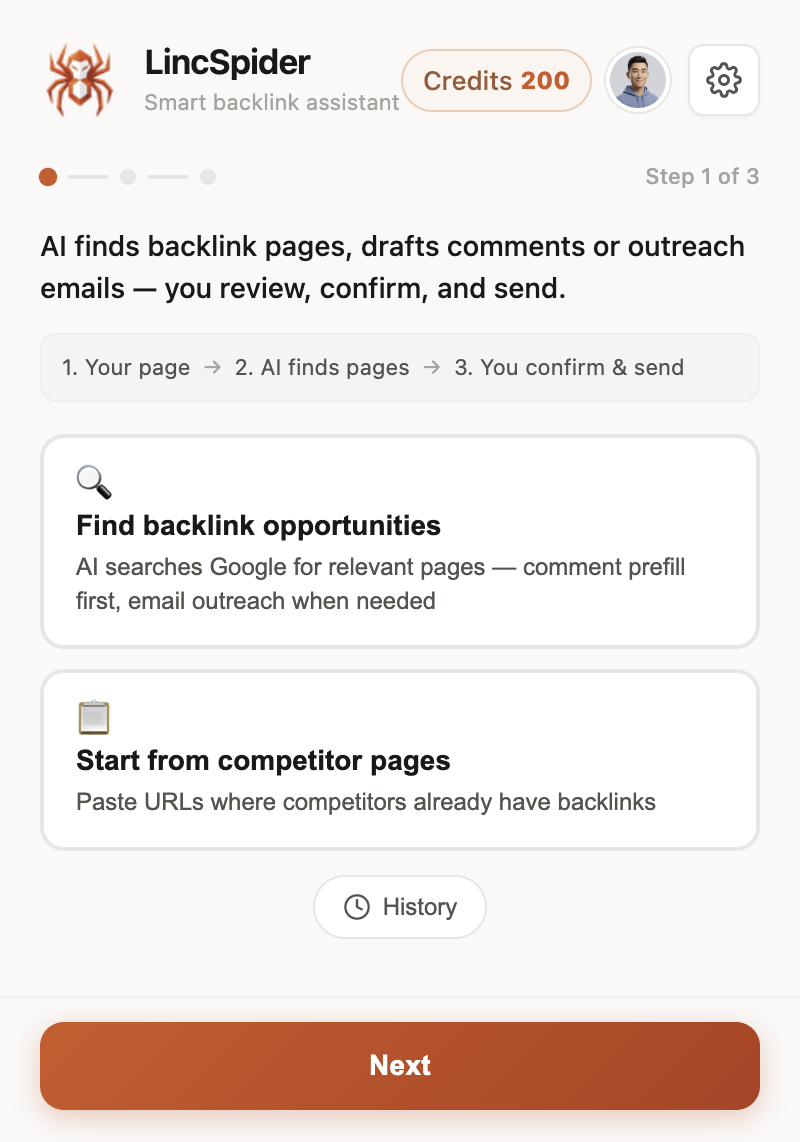
While the task runs, each candidate gets a contextual suggestion — comment if a form exists, outreach email if not.
Forum veterans still recommend Google Alerts for brand-new posts (Digital Point). LincSpider handles batch discovery; Alerts handle being first on day-one posts. Both fit the same weekly rhythm.
Review Opportunities Before You Draft
Auto-discover is not permission to comment on everything. The vetting step is where spam workflows die — and where legitimate ones save time.
Before I spend credits on a draft, I check:
- Comments open? Skip pages with "comments closed" or four hundred auto-approved spam entries (Digital Point on moderated blogs).
- Real discussion? At least a few human replies in the last year.
- Niche fit? A promo on an unrelated blog hurts more than it helps.
- Author engagement? Replies from the blogger mean comments are read.
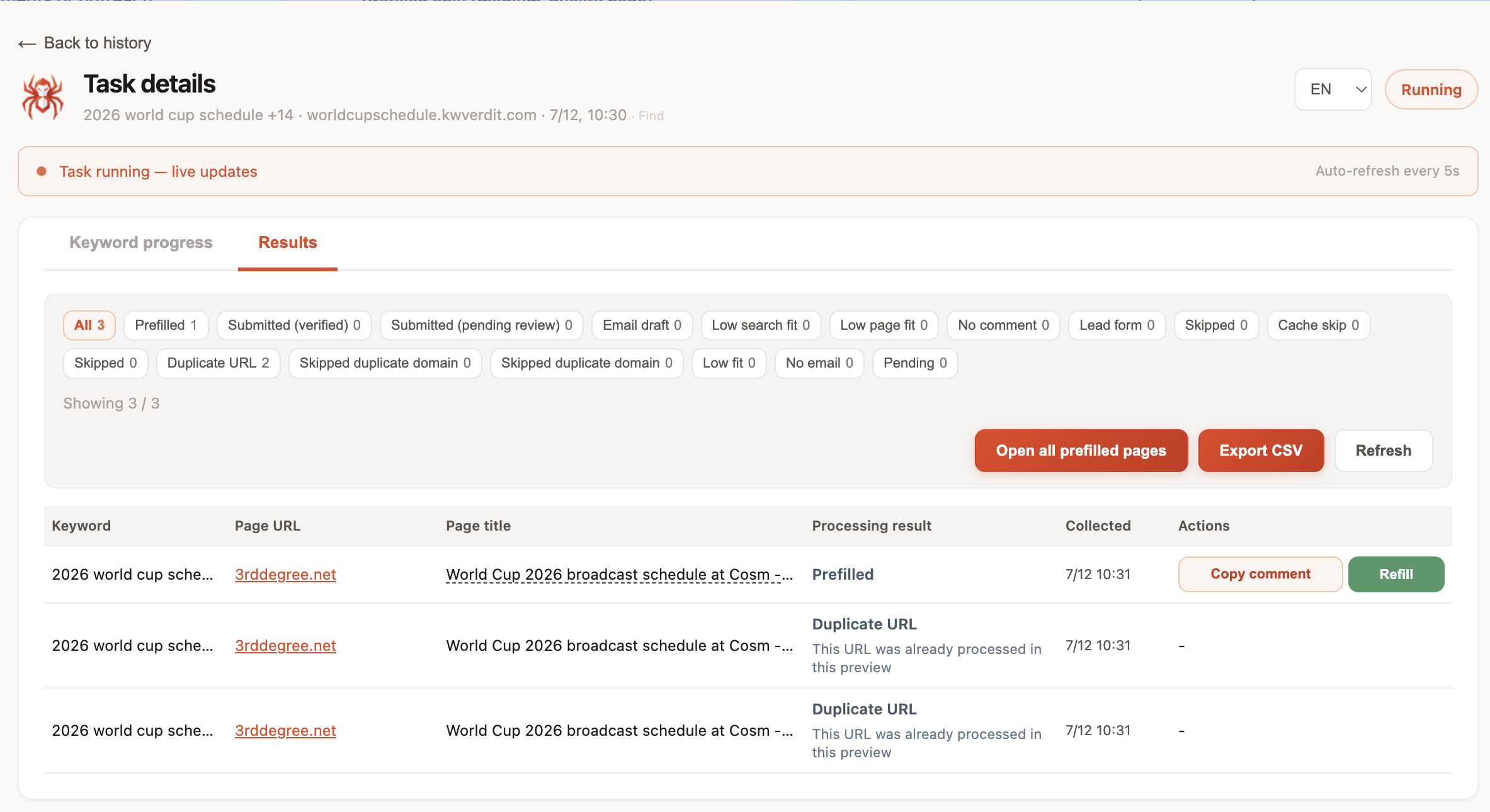
Task results show prefilled, duplicate, and skipped rows. I open two or three tabs per batch, not twenty. Quality beats volume — forum regulars land on 3–10 thoughtful comments per week, not fifty per day (Digital Point on comment pace).
Draft, Prefill, and Submit Yourself
Let us be honest about nofollow before you prefill anything.
On r/Blogging, the consensus line looks like this:
Comment backlinks are mostly nofollow these days so the direct SEO value is minimal. But I still think there's value in it — just not for the reasons most beginners expect.
Google documents rel="ugc" for comment links. Search Engine Journal calls pure comment link building useless as a ranking hack. Moz reframes the win as comment marketing — referral traffic, relationships, occasional citations when your note is good enough.
So this Chrome workflow is not a PageRank machine. It is a faster way to show up in conversations you would join manually anyway.
Field-level habit: put your URL in the website field, not sprinkled through the comment body. Use your real name or brand — not Best SEO Tools 2026 as the display name. Moderators reject keyword-stuffed signatures faster than weak comments (Moz on comment marketing). The extension prefills what you approve; it will not fix a spammy display name you chose.
When a page passes review:
- Read the AI draft LincSpider generated from page context.
- Edit until it references something specific — the bar r/Blogging sets: relevant, informative, and add value.
- Open the target tab. Prefill runs on the comment form.
- You click the site's submit button.
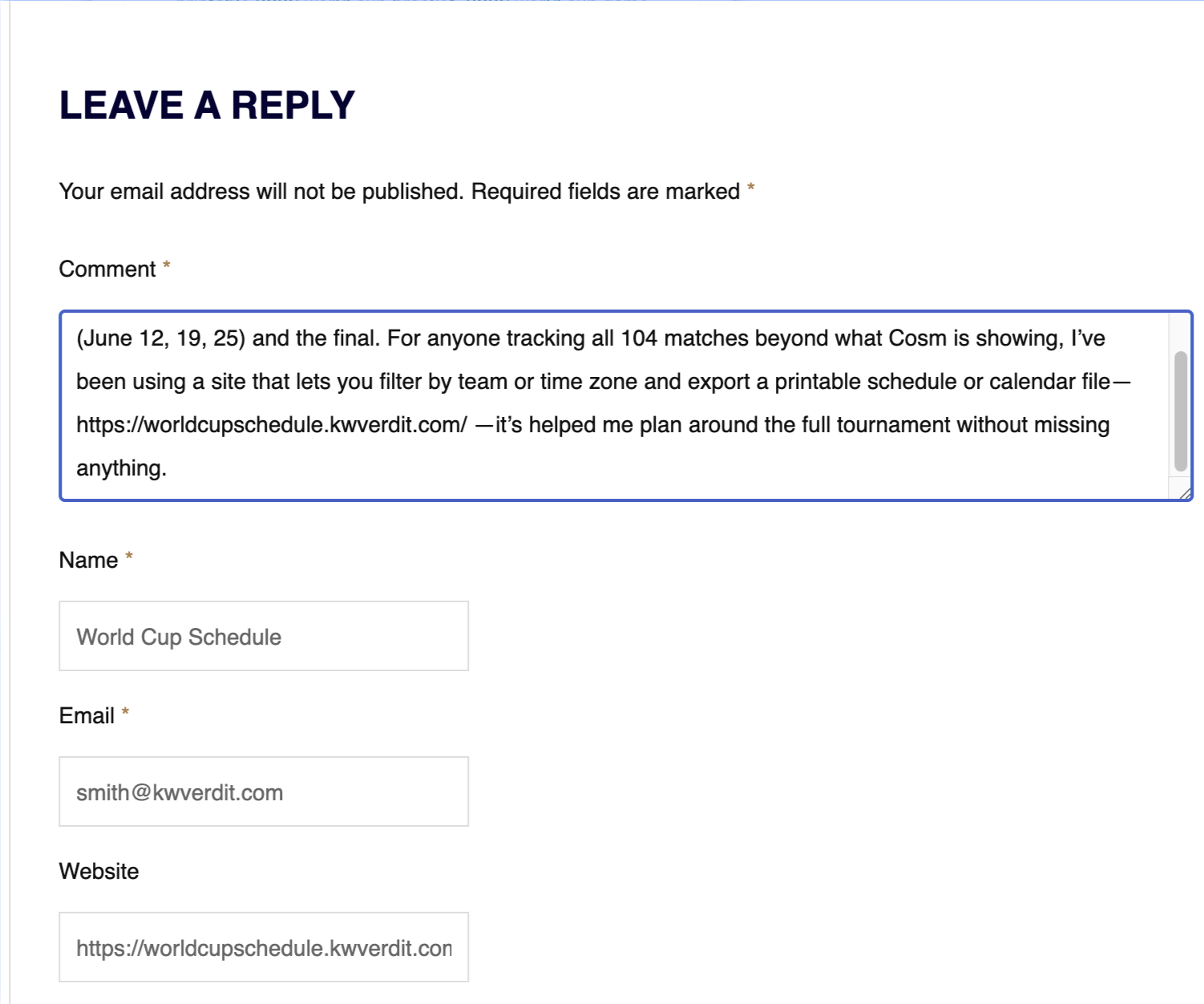
Prefill ≠ post. That distinction is the whole product. Hacker News threads on SEO snake oil exist because too many tools blur it.
Outreach When There Is No Comment Box
Plenty of sites killed comment sections. WebmasterWorld members have suggested for years: write a friendly email pointing to quality content instead of dropping a hollow comment.
When LincSpider finds no comment form, the task branch shifts:
- Surface public contact hints from the page.
- Draft subject and body text from the same page context.
- You edit, paste into your mail client, send manually.
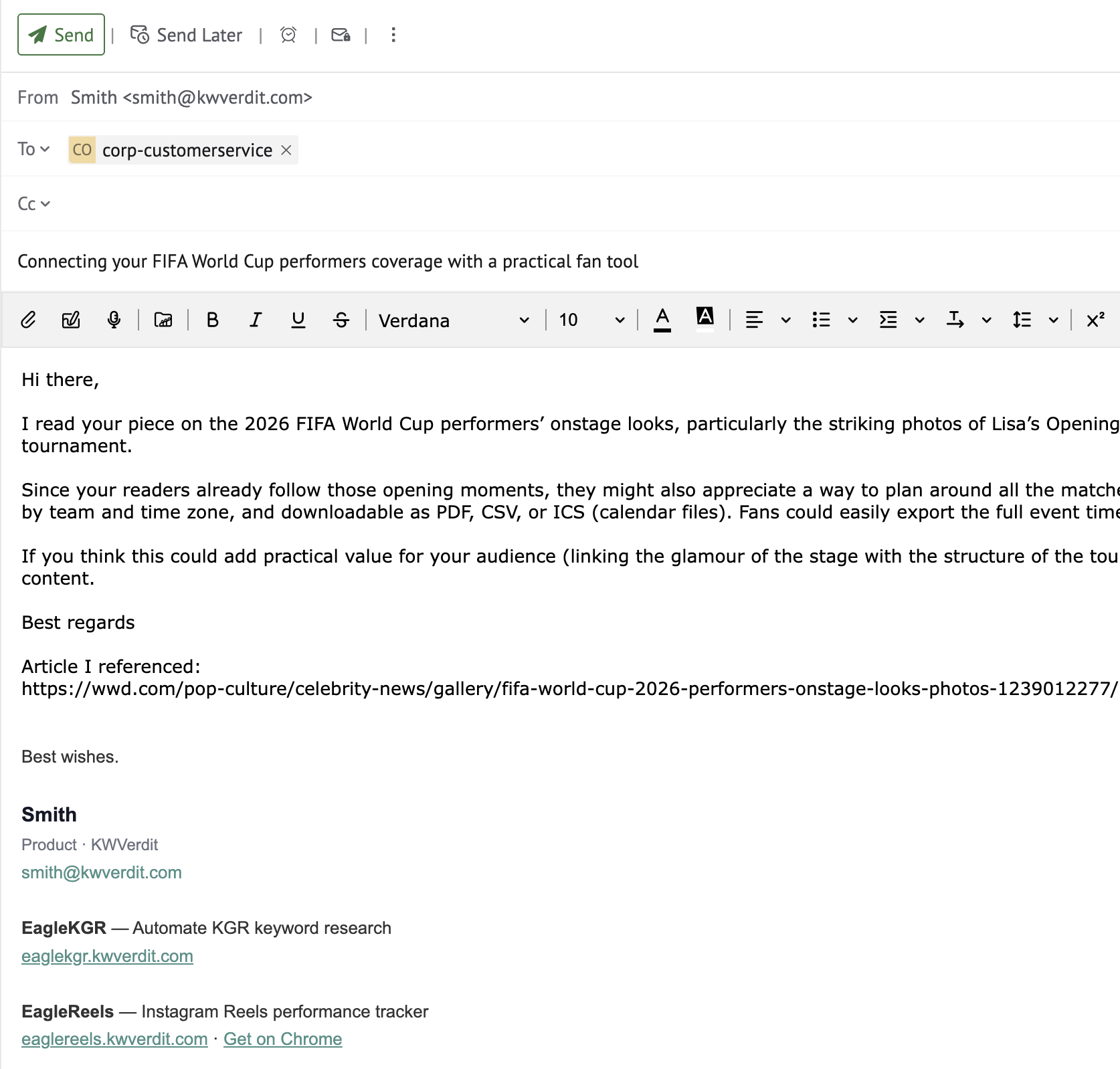
Same human-in-the-loop rule as comments. Indie Hackers founders describe warming up with thoughtful comments before cold DMs — this branch is for when the comment path is closed, not when you are skipping relationship work.
Personalize before you send (r/SEO on outreach). The draft is a starting point, not a mail merge blast.
Run It Weekly Without Crossing into Spam
A sustainable link building chrome extension rhythm looks like this:
- Twice a week: run one discovery task (10–20 candidates reviewed, 2–4 acted on).
- Credits: analysis ~10 per step; drafts ~50 per page. Pause is normal — add credits on /en/pricing and resume from History.
- Never: auto-submit, duplicate the same comment across blogs (HN on blogspam scale), or hunt dofollow comment farms.
WebmasterWorld still gets quoted for a reason — members said their top referrers were blogs they commented on, not Google alone. That outcome takes months, not a weekend blitz.
Treat the extension like Indie Hackers advice: automation for timing and drafting, human for the message.
My weekly calendar (rough): Monday — run discovery from my pillar URL, review results over coffee, queue two comments. Thursday — paste three competitor backlink URLs, review, send one outreach email where comments are dead. Friday — skim History, export anything I skipped for manual follow-up next week. Total active time: about 90 minutes. That is enough for a solo operator without turning link building into a second job.
Install from /en/download if you have not already. Pin the icon. Run one batch this week. Skip more rows than you submit. That is the workflow working correctly.
FAQ
What is a link building Chrome extension workflow?
A repeatable loop inside the browser: discover pages on Google, review candidates, draft contextual comments or emails, prefill forms — with you approving every submission. LincSpider implements this in one pinned popup.
Does this workflow auto-post comments or send emails?
No. LincSpider drafts and prefills. You edit, submit comments, and send mail yourself (r/SEO on tools and spam).
Are comment links worth it if they are mostly nofollow?
Not as a ranking shortcut. Often yes as marketing — referral clicks, brand visibility, relationships that lead to real links later (Moz on comment marketing). See our full take in How to Build Backlinks with Blog Comments.
How should I start discovery — seed URL or competitor links?
Both work. Start with the page you want to promote; add competitor backlink URLs when you want proven pages in your niche (HN BacklinkHelper thread). Manual operator methods are in Find Blog Comment Backlink Opportunities.
What if the target page has no comment form?
Use the outreach email branch — contact hints plus a draft you personalize before sending (WebmasterWorld on email vs spam comments).
How is this different from Ahrefs or DR checker extensions?
Ahrefs Toolbar and similar tools excel at metrics on pages you already opened. This workflow excels at finding new pages, drafting in context, and prefilling execution — complementary, not interchangeable (r/bigseo on extension stacks).
How many pages should I process per week?
Review 10–20 candidates; act on 3–10 quality comments or emails, not daily blasts (Digital Point pace thread).
Where do I install LincSpider and run my first task?
See LincSpider Chrome Extension: Install and First Task — Chrome Web Store install, guest preview, 300 credits on Google sign-in, and a walkthrough of task one.
Wrapping up
A link building chrome extension should shorten the boring steps — search, copy, paste, re-type your URL in the website field — without stealing the steps that build trust: reading the post, writing something useful, clicking submit yourself.
That is the workflow above. Discover, review, draft, prefill or email, repeat weekly. Try LincSpider free with three guest previews, or see /en/pricing when you are ready for more volume.
Sources: Reddit, Hacker News, Digital Point, WebmasterWorld, Indie Hackers, Google Search Central, Moz, Search Engine Journal.